Appearance
Can I revoke access later?
Yes. You can disconnect from the Reply200 dashboard or remove access directly from each platform.
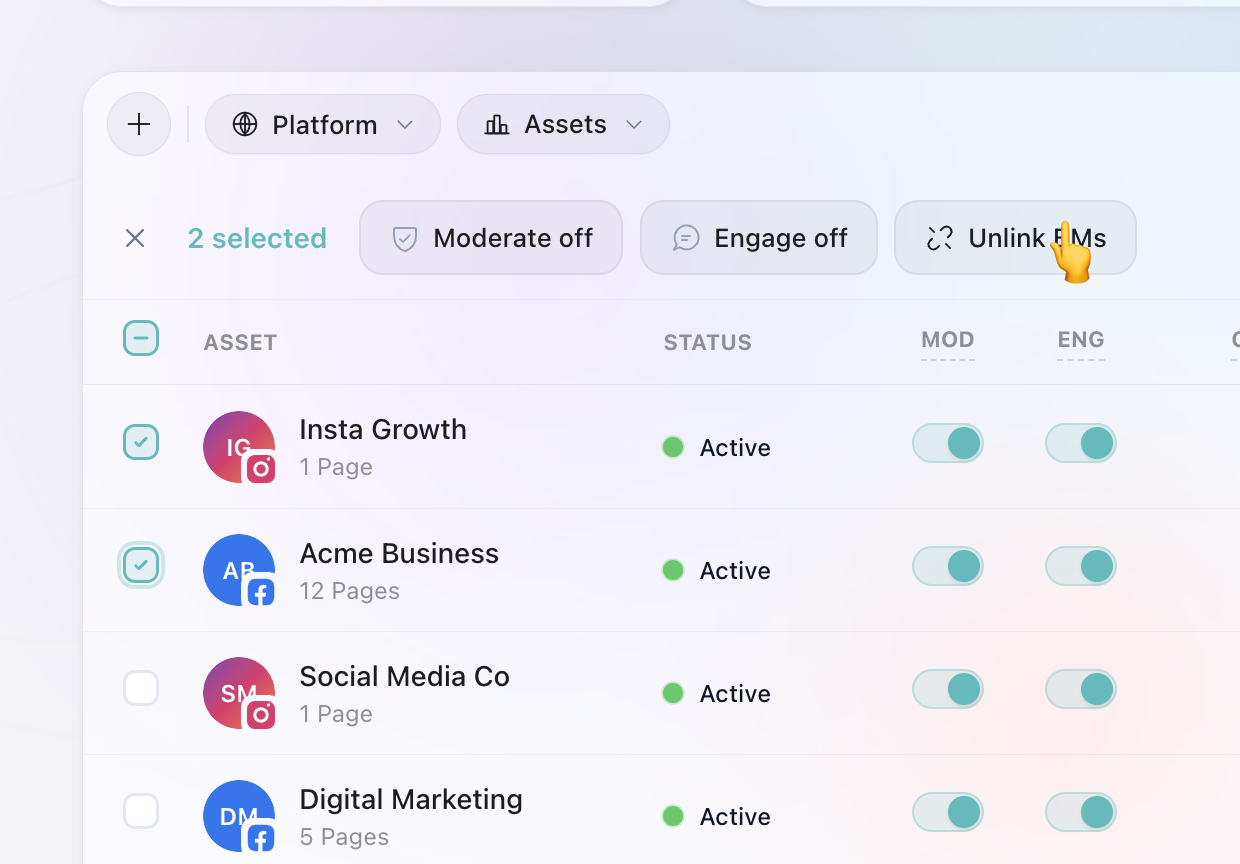
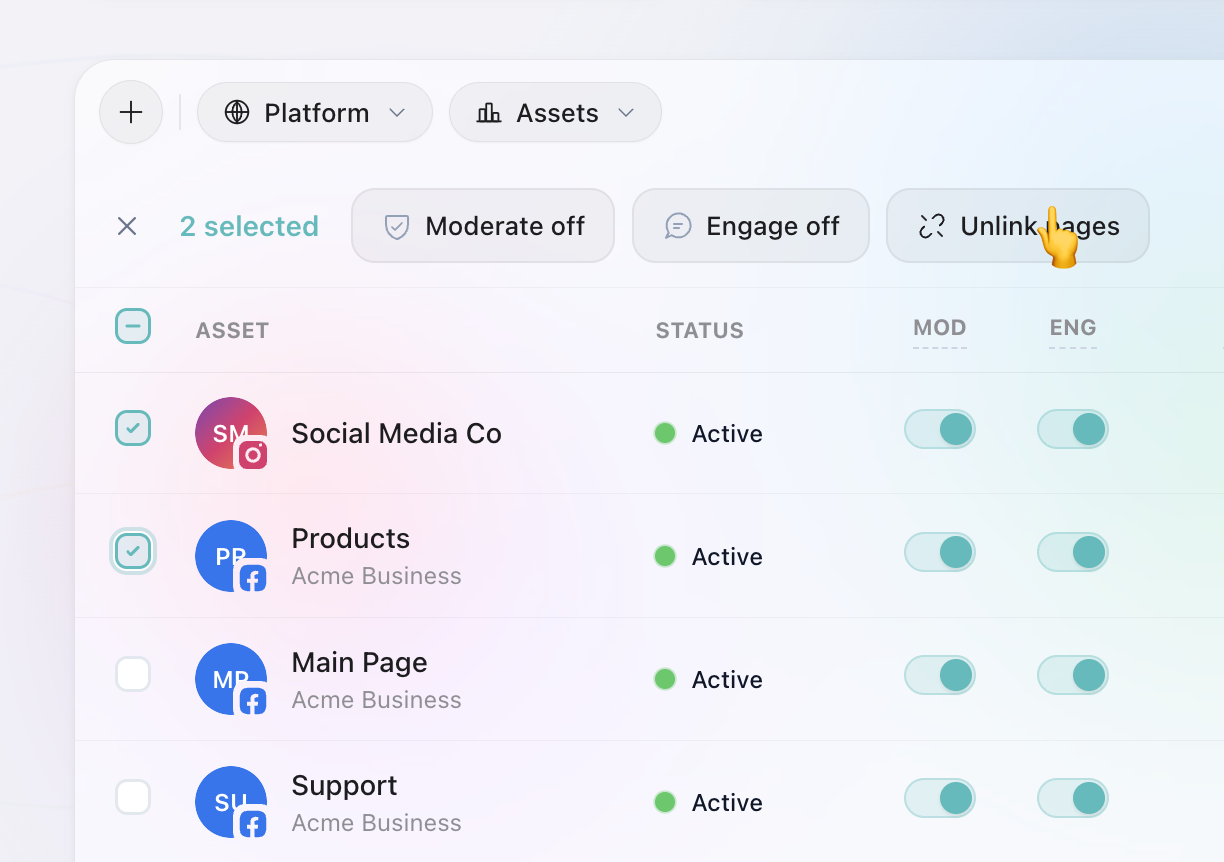
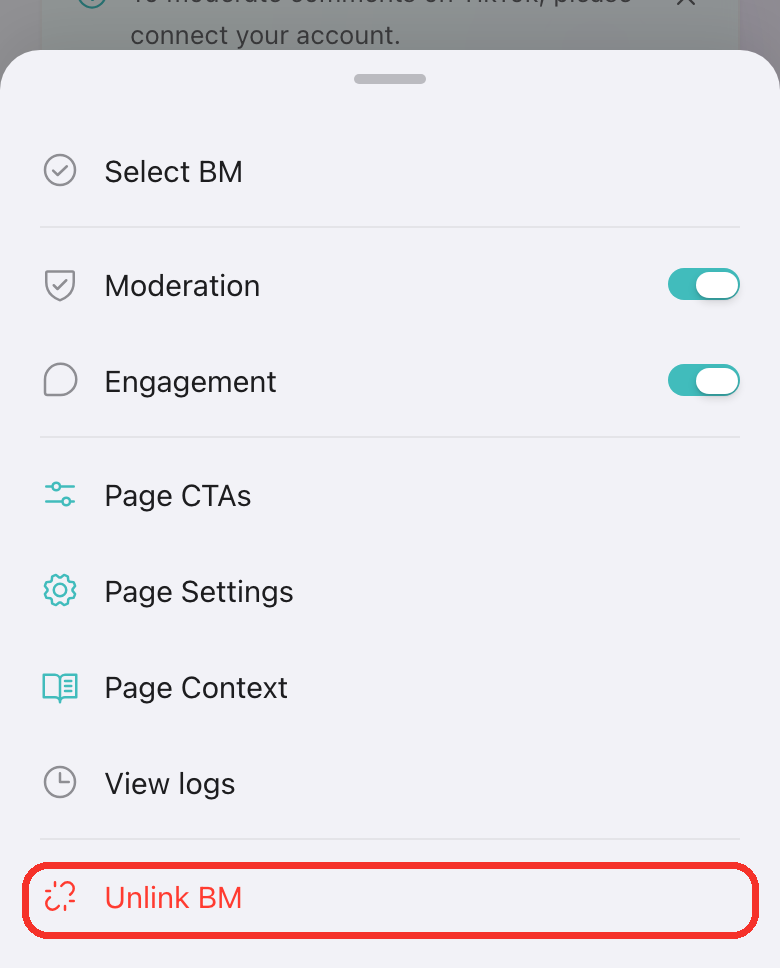
From the Reply200 dashboard
Use the bulk action menu to unlink Business Managers or Pages. Profiles are unlinked automatically when the relevant Pages or BMs are unlinked. We stop all processing immediately.
From Facebook
1
Go to your Facebook Profile and tap your profile picture.
2
Select Settings & Privacy, then Settings.
3
Scroll to Business Integrations.
4
Remove access for the Reply200 app.
From Instagram
1
Go to Instagram → Settings → Apps and Websites.
2
Find Reply200 and remove access.
From TikTok
1
Go to TikTok → Settings and Privacy → Security → Manage app permissions.
2
Find Reply200 and remove access.
From YouTube
YouTube access is a Google permission, so you remove it from your Google Account rather than from YouTube.
1
Go to your Google Account → Data & privacy → Third-party apps & services.
2
Find Reply200 and remove access.
Once removed, all activity stops instantly. No content is lost, and you can reconnect anytime.